

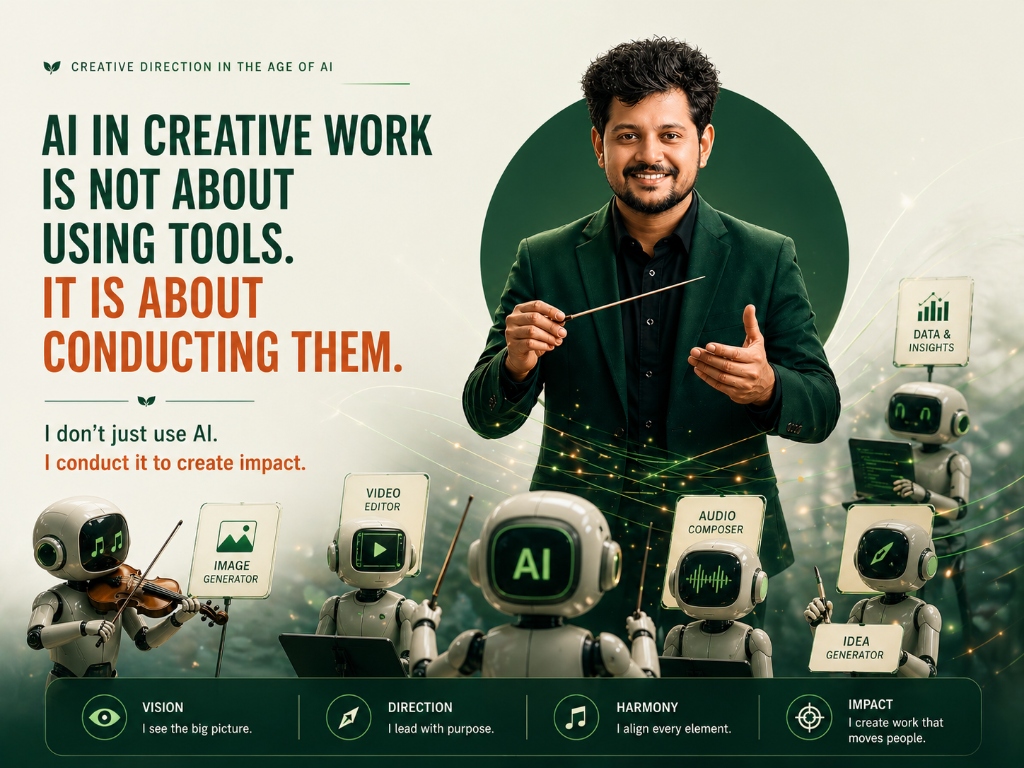
AI in creative work is not about using tools. It is about conducting them. A conductor does not play any instrument. They direct each musician. They know what each one can do. They decide when it plays, how loud, and when it stops. This is how I work as a Creative Director every single day.
Right now, most teams buy an AI subscription and start prompting. That is using an instrument without a conductor. It works sometimes, but nothing adds up. A conducted setup is different. Every tool has a defined role, and every output has a defined destination. If you want to move from isolated prompts to actual production pipelines, you need AI orchestration.
What this post covers: AI orchestration replaces random prompting with a conducted setup. I walk through my exact workflow, from Claude for copy to Antigravity for development, showing how a Creative Director acts as a conductor to build consistent, high-quality work without getting lost in the tools.
Table of Contents
The Problem With Unconducted Teams
Teams usually start their AI journey by handing out access to a few popular tools. A designer gets Midjourney. A copywriter gets ChatGPT. The strategy team tries Claude. Everyone works in their own corner, typing prompts and hoping for good results.
This approach fails to scale. When you use tools without a conductor, the output feels disconnected. The images look like they belong to one brand, while the copy sounds like another. The strategy document is completely ignored when the final presentation is built. According to a 2024 Salesforce State of Marketing report, 60% of teams struggle to maintain a consistent brand voice across their AI outputs. The tools are working, but they are not working together.
I see this all the time. A team buys an AI tool, and suddenly everyone is prompting. But prompting is just typing instructions. It is not directing a project. When five different people prompt five different tools with five different visions, you get noise. You do not get an orchestra. You get individuals playing their instruments as loud as they can, competing for attention.
The problem is not the technology. The problem is the lack of direction. If nobody is holding the creative vision and pointing the tools toward it, the final work will always feel like a collection of generic AI generations rather than a cohesive brand piece. You end up spending hours editing and rewriting, trying to force the pieces to fit together.
What AI Orchestration Actually Means
AI orchestration is the process of building a connected sequence where multiple tools work together under a single vision. Instead of opening an app and guessing, you build a pipeline.
In a conducted setup, every tool has a strictly defined role. You do not ask ChatGPT to do strategy if its role is visual ideation. You do not ask Canva to write copy. You sequence the work so that the output of one tool becomes the input for the next. This is the difference between playing around with software and building a production engine.
A 2023 McKinsey study found that teams using disconnected point solutions spend more time in revision cycles than those with structured operational workflows. This makes total sense. If your tools do not connect, you have to manually carry the context from one platform to another. You have to re-explain the brand guidelines, the target audience, and the tone of voice every single time you open a new tab.
Orchestration solves this. It treats the entire creative process as a single continuous flow. The strategy feeds the copy. The copy feeds the visual direction. The visual direction feeds the layout. Nothing happens in isolation.
The Role of the Creative Conductor
Ask your team one question: who is conducting? That answer tells you everything.
If no one raises their hand, you have a problem. The conductor is the person who holds the creative vision. They do not need to be the person typing every single prompt. They certainly do not need to be a software developer. Their job is to look at the big picture and decide how the tools should execute it.
The conductor knows what each instrument can do. They know that Claude is brilliant at structuring arguments and maintaining a specific tone. They know that Midjourney is great for highly stylized mood boards, while the new ChatGPT image generator is better for quick, literal visual representations.
The conductor decides when a tool plays, how loud it plays, and when it stops. If a tool produces something that does not fit the vision, the conductor overrides it. They do not accept the first output just because it was generated quickly. They demand that the output serves the project.
This requires a shift in how we think about creative roles. The Creative Director is no longer the person who manually sketches every idea or writes every headline. They are the person who curates the AI models, designs the workflow, and maintains the standard of quality.
P.S. The conductor does not need to play every instrument. They need to understand each one well enough to direct it.
My Exact AI Orchestration Stack
I run a very specific setup for my daily work. I do not use fifty different AI apps. I use five core tools, and I conduct them rigorously. If you want a deep dive into how I use these tools step-by-step, check out my AI Orchestra Workflow guide in the resource vault.
Claude writes the copy
Claude is my lead strategist and copywriter. I use it to define the tone, structure the arguments, and write the actual text. Claude is better than other models at holding a specific, peer-to-peer tone without sounding like a robotic marketer. It acts as the brain of the operation. Everything starts here.
New ChatGPT image gen handles the visuals
Once Claude defines the strategy, I move to ChatGPT. The new image generation capabilities are excellent for creating specific, brand-aligned visuals based on the strategic direction. I take the visual prompts generated by Claude and feed them into ChatGPT. This ensures the images actually match the copy, rather than just looking cool in isolation.
Canva builds the layouts
With the copy and visuals ready, Canva steps in. Canva is not an AI brain; it is a layout engine. It takes the raw materials and puts them into a structured format. Because the assets were already aligned during the previous steps, the layout phase is incredibly fast. I am just snapping pieces into a grid.
Google’s Antigravity handles the designer development tasks
For anything that requires actual code, building web pages, or executing technical design tasks, I rely on Google’s Antigravity. It acts as an agentic layer that can read my files, understand the context of the project, and write the necessary code to bring the designs to life on the web. It takes the heavy technical lifting off my plate so I can focus on the creative direction.
Loom explains the work to clients in real time
The final instrument is Loom. Sending a folder of AI-generated assets to a client without context is a mistake. I record a Loom video walking them through the work. I explain why we made certain choices, how the AI tools executed the strategy, and how it all connects back to their initial brief. This stops revision cycles before they start.
How to Set Up Your Own Conducted Setup
If you want to move away from random prompting, you need to establish rules for your team.
First, define the sequence. Map out your creative process from brief to delivery. Decide exactly which tool handles step one, which tool handles step two, and so on. Write this down. Make it mandatory.
Second, assign a conductor for every project. Someone has to be responsible for the final output. That person must have the authority to reject work that does not fit the vision, even if the AI generated it in five seconds.
Third, stop adding new tools just because they are new. Every time you add a tool, you add another instrument to the orchestra. If you do not know how it fits into the overall composition, it will just create noise. Stick to a small, tight stack and master how they talk to each other.
Key Takeaways
- AI in creative work is not about using individual tools; it is about conducting them to achieve a unified vision.
- A conducted AI setup assigns every tool a defined role and every output a defined destination.
- Most teams struggle because they rely on isolated prompting instead of orchestrated workflows.
- You need a single conductor to hold the creative vision and point the AI tools toward it.
- A tight stack of five connected tools is infinitely better than twenty disconnected apps.
Frequently Asked Questions
What is AI orchestration in creative work?
AI orchestration is the practice of designing a workflow where multiple AI tools are sequenced together, with each tool playing a specific role directed by a human conductor.
Why is an AI conductor important?
An AI conductor holds the creative vision. They decide what each tool should produce and how the outputs connect, ensuring the final work aligns with the brand instead of feeling generic.
Do I need to be an expert in every AI tool to conduct them?
No. The conductor does not need to play every instrument perfectly. They just need to understand what each tool is capable of and how to direct it toward the larger vision.
How do I know if my team needs a conductor?
Ask your team who is holding the final creative vision across all AI outputs. If everyone is prompting individually and the final work looks disconnected, you need a conductor.
Harshal Saraf is a Creative Director and AI Workflow Consultant based in Indore, India. Under his practice ByHarshal, he sets up AI workflows for founders, agencies, and brands across India. Where Creative Direction Meets AI Orchestration. He has led creative direction for brands and small and medium scale B2B businesses, and currently works as Creative Director and AI Strategist at Square Root SEO. He writes Oh, So AI, a Tuesday and Friday newsletter on AI tools, workflows, and productivity for founders and creatives.
